Reverse Audio - Singing Play1.3
Publisher Description
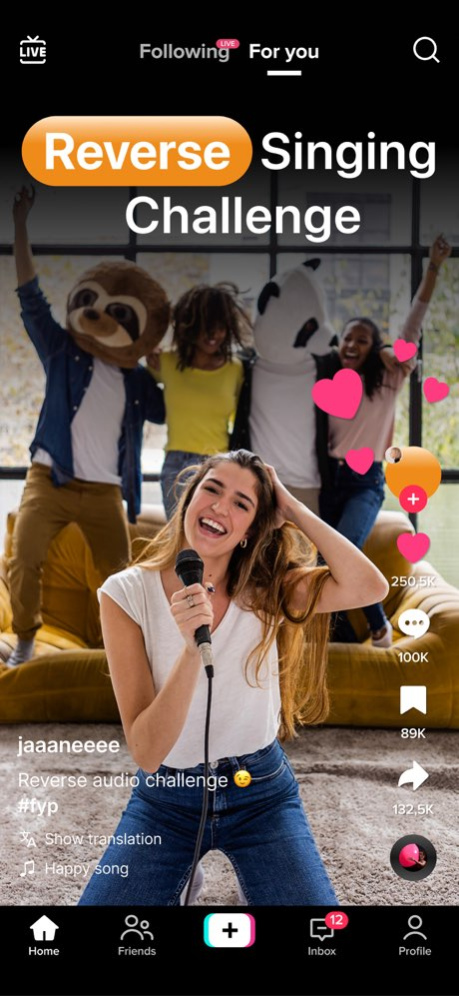


Reverse Audio is a simple app that lets you record your voice and play it in reverse. With one tap you can take any sound and turn it into reverse audio. Speak, sing, or say anything and discover how it sounds backwards.
Reverse Audio app is perfect for the popular reverse singing challenge. Record your singing or your voice, play the reverse audio, and share it. Then reverse it again to hear how close you were. The reverse singing challenge is fun with friends and works great for parties or small games at home.
Reverse Audio is super easy to use. Open the app, record your voice, and listen to the reverse playback right away. Save your recordings and play them later. You can create short records, share funny results, and try different words or songs.
If you enjoy quick and fun activities, Reverse Audio gives you many more ways to play with sound. Use it for reverse singing, try the reverse singing challenge, or just record random sounds and laugh at the backwards result.
Discover how simple and fun reverse audio can be. Record, play, and share the reverse audio of your own voice today.
Share your feedbacks by sending us a mail at hello@aiapps.dev
https://www.aiapps.dev/terms
https://www.aiapps.dev/privacy
Version History performance improvements 1.3 Jan 9 Bug fixes and performance improvements 1.2 10/02/2025 Bug fixes and performance improvements 1.1 09/19/2025 1.0 09/18/2025
About Reverse Audio - Singing Play
The company that develops Reverse Audio - Singing Play is AI Apps OU. The latest version released by its developer is 1.3.
To install Reverse Audio - Singing Play on your iOS device, just click the green Continue To App button above to start the installation process. The app is listed on our website since 2026-10-14 and was downloaded 1 times. We have already checked if the download link is safe, however for your own protection we recommend that you scan the downloaded app with your antivirus. Your antivirus may detect the Reverse Audio - Singing Play as malware if the download link is broken.
How to install Reverse Audio - Singing Play on your iOS device:
- Click on the Continue To App button on our website. This will redirect you to the App Store.
- Once the Reverse Audio - Singing Play is shown in the iTunes listing of your iOS device, you can start its download and installation. Tap on the GET button to the right of the app to start downloading it.
- If you are not logged-in the iOS appstore app, you'll be prompted for your your Apple ID and/or password.
- After Reverse Audio - Singing Play is downloaded, you'll see an INSTALL button to the right. Tap on it to start the actual installation of the iOS app.
- Once installation is finished you can tap on the OPEN button to start it. Its icon will also be added to your device home screen.
Program Details
System requirements
Download information
Pricing
Version History
version 1.3
posted on 2026-10-14
Version History performance improvements 1.3 Jan 9 Bug fixes and performance improvements 1.2 10/02/2025 Bug fixes and performance improvements 1.1 09/19/2025 1.0 09/18/2025
version 1.3
posted on 2026-01-09
performance improvements
